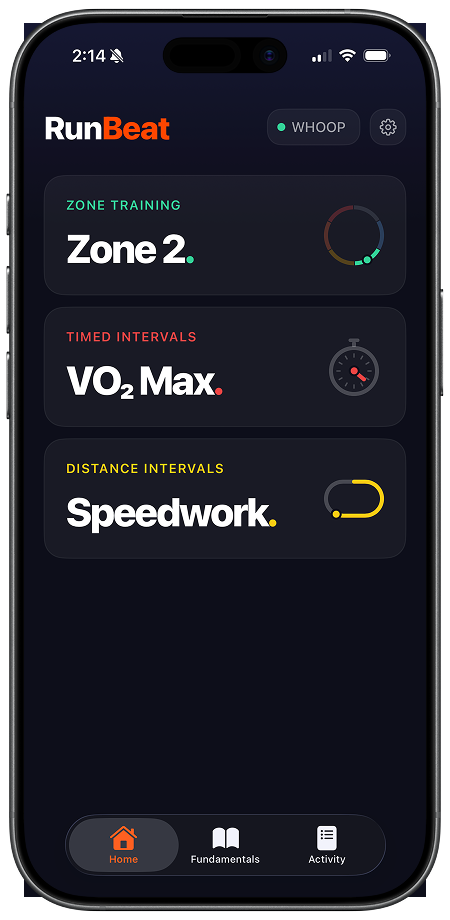
Zone Training
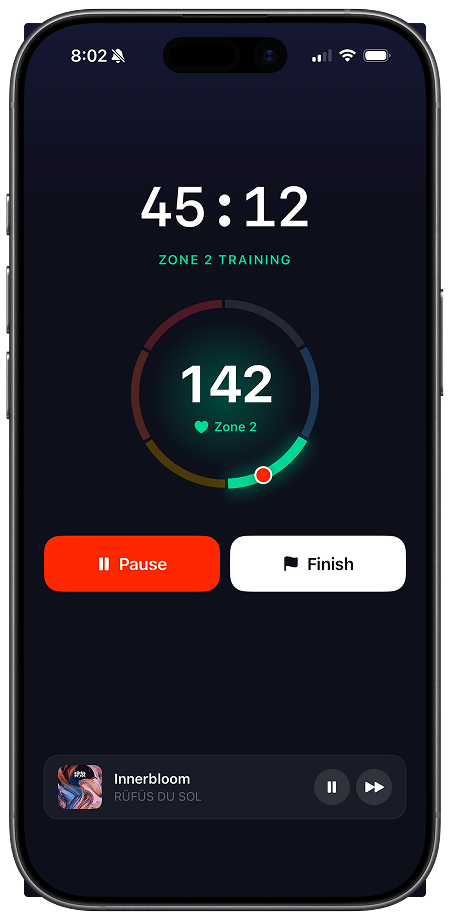
Zone 2 is the easy, conversational effort that builds your engine.
Why train Zone 2
How it works
RunBeat tells you to speed up or slow down to stay in zone, right over your music or podcast.
Pace Training
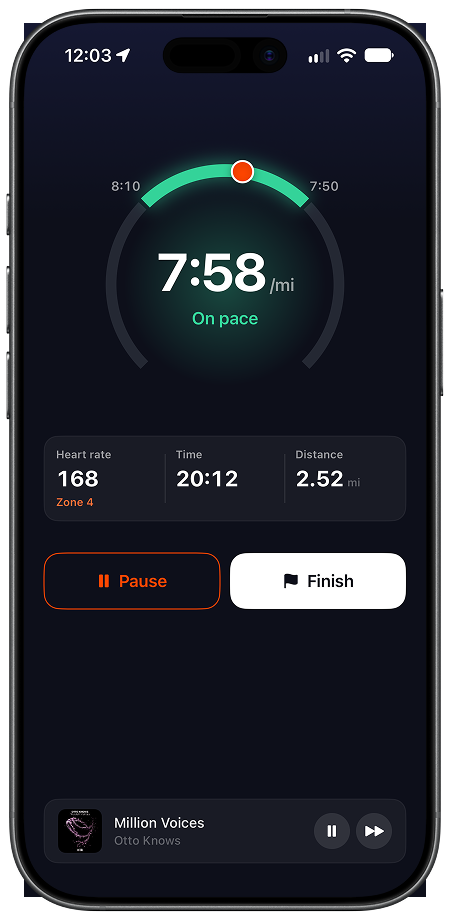
Pace training is a steady run at the pace you'll need on race day, whether that's a 5K, a marathon, or the runs between HYROX stations.
Why train race pace
How it works
RunBeat tells you to speed up or slow down to stay on pace, measured by GPS.
Distance Intervals
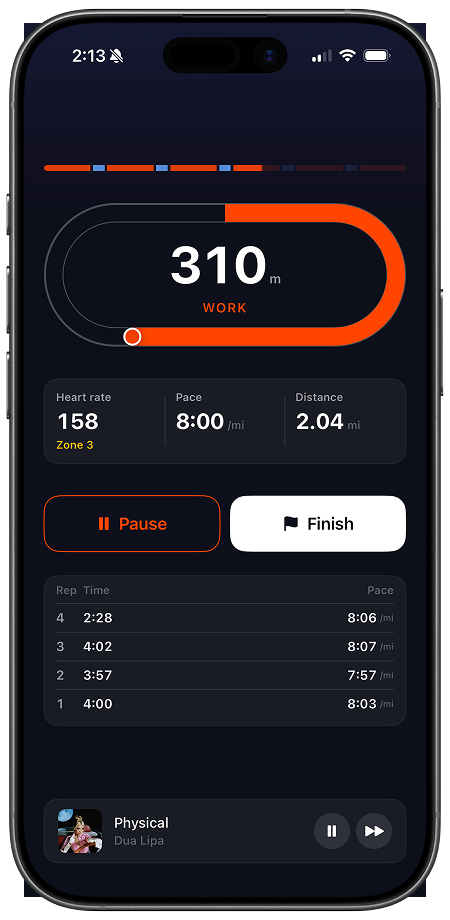
Speedwork is distance repeats at one target pace, so your legs learn your race split and hold it.
Why Speedwork
How it works
RunBeat calls the start and end of every rep, measured by GPS.
Timed Intervals
VO2 max is how much oxygen your body can use at full effort, and it sets your ceiling.
Why train VO2 max
How it works
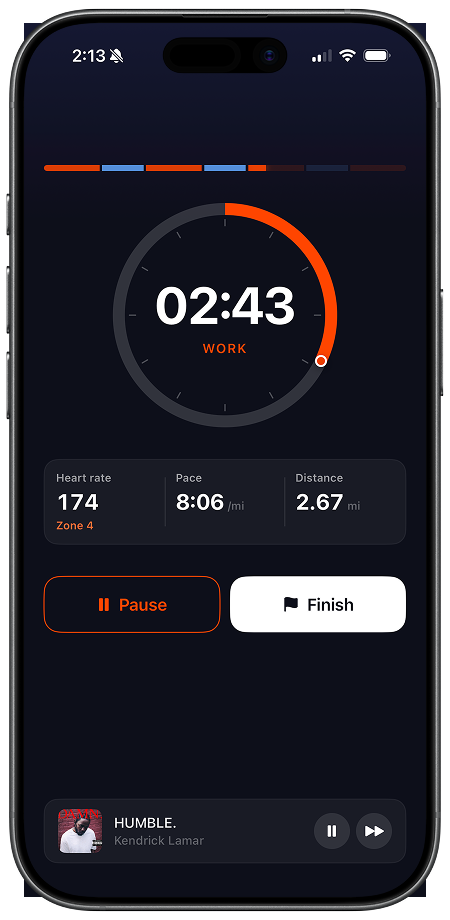
RunBeat calls every work and rest phase, and your Apple Music playlists switch with it.
RunBeat is an iPhone app that works with Apple Watch, Google Fitbit Air, Whoop, Polar, Garmin, Wahoo, COROS, Scosche, COOSPO, and any Bluetooth heart rate monitor.
See all compatible devices and setup instructions
Build an aerobic base you can keep. Most of the running is easy Zone 2, with one hard session a week and a long run that grows to two hours.

Raise your ceiling in an 8-week block: two interval sessions a week on top of easy running, the Norwegian 4×4 twice at first, then the 4×4 and the Billat 30/30.

Get your running ready for a HYROX race in 8 weeks. Three runs a week: build the base, add race pace and running straight off a station, then back off and arrive fresh.
Target HR = RHR + % Intensity × (Max HR − RHR)
Yes. Pick a target heart rate zone in Zone Training, and RunBeat monitors your live heart rate as you run and tells you to speed up or slow down to stay in it. The default target is Zone 2.
Yes. Set a target pace and a range around it in Pace Training, and RunBeat tracks your pace by GPS as you run. Every 400 m by default, it tells you to speed up, slow down, or that you're on pace. You can change that to anywhere from every 200 m to every mile. It works with or without a heart rate monitor.
Yes, that's the whole point. RunBeat is an audio-first heart rate training app. You start a workout, put your phone in your pocket, and the voice coaching guides the whole session from there. No screen required, on the phone or on the watch.
Apple Watch and any Bluetooth heart rate monitor. That covers Google Fitbit Air, Whoop, Polar, Garmin chest straps, Garmin watches, Wahoo, COROS, Scosche, and COOSPO. Any other monitor that supports the standard Bluetooth Low Energy Heart Rate Profile works too. The setup guide has pairing instructions for each brand.
Yes. RunBeat is an iPhone app, and the RunBeat Watch app installs on your Apple Watch automatically. Your watch reads your heart rate and sends it straight to the iPhone app. All training, coaching, and music stay on your iPhone, while the Watch app shows your live zone on your wrist during a session. It supports Apple Watch Series 4 and later, SE (all generations), and Ultra (all models).
Yes. RunBeat's Timed Intervals mode has the Norwegian 4x4 built in as a preset. Each phase ends when the timer says so, and RunBeat calls every transition. It can announce your heart rate zone on top of the timer cues if you want it to.
Yes. RunBeat's Distance Intervals mode comes with a 1 km Repeats preset. A rep ends when the GPS says you've covered the distance, and RunBeat calls every rep. Each rep's time, distance, and pace land on the live splits and the session summary.
Yes, in both interval modes. Timed Intervals lets you set your own work and rest phases alongside the Norwegian 4x4 preset. Distance Intervals takes any rep distance from 400 m to 4.8 km. Build it at the start, and the voice cues run the whole session.
Yes. Coaching audio plays over whatever you're already listening to, podcasts and other music apps included. Announcements duck your audio while RunBeat speaks, then it comes back up. Apple Music is optional. Every mode works fully without it.
Yes. In Zone Training, the Announce all zones setting calls out every zone change as it happens, with no target held. When you hold a target instead, optional in-zone and off-zone reminders tell you where you are. Both interval modes can announce heart rate zones on top of their timer and rep cues.
Yes. Every session ends with a summary: time in each zone, a chart of your heart rate over time, work and rest breakdowns, and rep splits. Distance, pace, and your route on a map are there too, where GPS ran. Session history keeps every summary in the Activity tab.
Yes. HYROX running training is easy runs held in a zone, race pace runs, and hard intervals, and RunBeat coaches all three. Zone Training holds the easy runs in zone. Pace Training holds you on the pace you'll need for the runs between HYROX stations. Distance Intervals runs 1 km repeats, with each rep's pace read back on the splits and the summary.
Yes. Zone 2 is just the default. Zone Training lets you pick your target heart rate zone, and the coaching works the same for any target. RunBeat tells you to speed up or slow down to hold the zone you set.
RunBeat runs in English, German, Spanish, and Polish. The whole app comes in all four languages: the voice coaching you hear during a session and every screen you read between them.
Your first training is free, before any trial starts. After that, RunBeat Pro is a subscription with a 7-day free trial. The App Store listing shows the current subscription price.